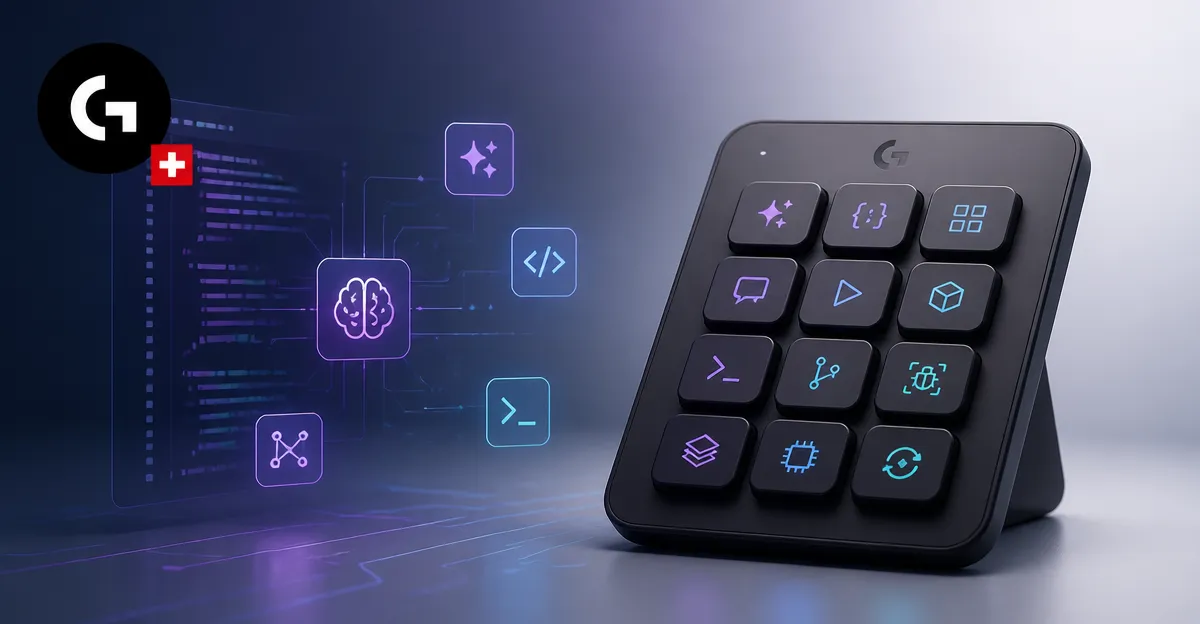
September 8, 2026, (Inside AI) — Logitech has launched the MX Keypad, a nine-key LCD control surface built specifically for developers managing multiple AI coding agents. The device, which began shipping on Tuesday, targets workflows across GitHub Copilot, Claude Code, VS Code, and IntelliJ IDEA, and is priced at Rs 15,999 in India with availability in the US and UK as well.
The keypad connects over USB-C and requires macOS 13 or later, or Windows 10 or later. It offers 15 pages of shortcuts, each with nine buttons, totaling 135 customizable commands. Users can drag and drop functions onto buttons, including voice dictation and screenshots, and link each application to a customized plugin.
Logitech developed the MX Keypad in partnership with GitHub, integrating Copilot into VS Code and bundling three free months of Copilot Pro+ for new and existing users through Logi Options+. The hardware displays live status updates such as "thinking" or "complete," letting developers monitor agents without switching screens.
"We noticed that having a dedicated standalone device that gives you quick access to certain tools, shortcuts, and automations is psychologically easier for users than having to remember those shortcuts," Valeriya Kostyukovskaya, Global Business and Marketing Manager for MX at Logitech
The launch is a direct response to the rise of agentic coding, where background AI agents handle repetitive tasks while developers focus on documentation, research, or meetings. The keypad's visual feedback aims to reduce cognitive load.
"If the agent is running in the background, developers can do something else in the meantime. They can document, they can research, they can communicate, or have a meeting. And because the keypad is a standalone device with visual feedback, it can notify them when something is wrong or when something requires their attention," Valeriya Kostyukovskaya
Hardware over software for agent visibility
The MX Keypad's value proposition rests on a simple claim: a software-only dashboard adds friction. Developers already juggle multiple tabs and windows. A physical device with dynamic LCD keys removes the need to summon an on-screen panel.
"At the moment, those plugins and integrations are definitely accessible through the Action Ring, a customisable virtual interface. But when it comes to specific integrations, such as working with AI agents, and the fact that you need to be able to monitor them somehow, having this additional layer on your screen as another tab doesn't solve the problem. The friction is still there. You have so many tabs, and if you still need to remember to call up the Action Ring to check, that can be a challenge," Valeriya Kostyukovskaya
The keypad's design is not new. It closely resembles the MX Creative Console, launched in 2024 after Logitech acquired Loupedeck. That product paired a nine-key LCD pad with a wireless dial. The dial is gone in the MX Keypad, a deliberate choice for developers who need buttons more than rotary controls.
"When we launched that product, we instantly saw so many different use cases for the keypad. It was clear that the dial was particularly useful for creative workflows, but the keypad alone was so capable. When we started digging into the use cases, the number one, of course, was developers, because the MX series is our core audience and is meant for creative professionals and developers. That's where we went first. We started working with our community," Valeriya Kostyukovskaya
The idea had been brewing for years, but a hackathon in Switzerland accelerated it. AI tools were emerging rapidly, and Logitech decided to package existing functionality into hardware rather than delay.
"We had a hackathon that we hosted in Switzerland, and those AI tools started popping up. Things were moving faster and faster, and we didn't want to delay any longer. We wanted to bring all of the functionality we had developed and package it into the current hardware," Valeriya Kostyukovskaya
Competing in a nascent AI device market
The MX Keypad enters a small but growing category of AI-first hardware. In July, OpenAI launched a similar keyboard designed for its Codex coding assistant. That device monitors multiple agents at a glance but is limited to OpenAI's ecosystem.
Logitech's keypad supports multi-app, multi-agent workflows across different platforms, a key differentiator. The company is also betting on its GitHub partnership and a plugin marketplace to attract developers.
"The trend has started. We still think we are entering this category at the right time because we have superior functionality and integrations. We definitely offer a vast selection of AI tools, and I think our partnerships, especially with GitHub, put us in a stronger position and give us a very appealing commercial bundle for our target audience. I wouldn't be surprised to see more devices like this coming out," Valeriya Kostyukovskaya
Beyond developers, Logitech sees broader consumer appeal. The keypad supports templates, simple prompts, and shortcuts for non-coding tasks like screenshots and Adobe applications. Kostyukovskaya herself uses it for screen recording and creative workflows.
"In fact, the plugin I created myself was for screen recording and screenshots, which are things I do often. For me, it was a bit of a bottleneck. I am also somewhat of a creator and use Adobe applications, so I have some shortcuts set up for those as well. It definitely helps a lot in my day-to-day work. I can see many consumers benefiting from the device as well," Valeriya Kostyukovskaya
Logitech is also investing in developer engagement, with plans for a rewards program for plugin contributors. The company sees customization as a key driver for its advanced user base.
"We believe advanced users are benefiting from customisation. We see that users of the MX series are the ones who are changing settings the most. We are trying to make it easier, faster perhaps, with some rewards programme for developers contributing to plugins," Valeriya Kostyukovskaya
The MX Keypad's launch signals a broader shift. Standalone AI devices, from Meta Ray-Ban smart glasses to Plaud note-taking devices, are reappearing as AI reshapes everyday tools. Logitech's approach is pragmatic: start with a familiar form factor, target a core audience, and expand from there.